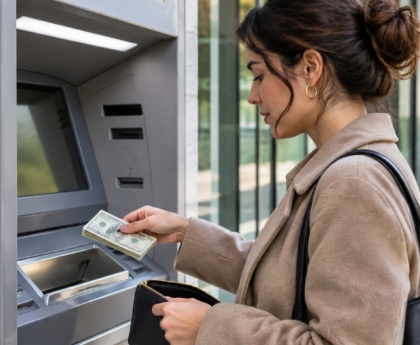
Forgot your debit card but need cash? A cardless ATM may let you access an eligible account with a phone or another approved digital method. You still need an account and a bank-supported way to identify yourself.
Availability depends on your bank, the ATM and your device. Set up the feature before you need it, and check withdrawal limits or out-of-network fees just as you would with a physical card.
How cardless access works
Some banks let you add a debit card to a supported mobile wallet, then tap the phone at a compatible ATM’s contactless reader. Other institutions use a code or a transaction started in their own app. Follow the instructions from your bank rather than assuming every machine works the same way.
With a wallet-based method, you may need to unlock your phone, select the correct card and enter your ATM PIN. A contactless symbol on the machine helps identify a compatible reader, but it does not guarantee that your bank supports every ATM.
Set it up before leaving home
Install the bank’s official app or a supported wallet from a trusted source. Add and verify your eligible debit card as directed. Some banks require extra verification or may not support every account, device or wallet.
Find a participating ATM through your bank’s locator. Check the daily limit, any account restrictions and whether the ATM charges a fee. If you have changed phones or your card has expired, make sure the digital card still works.
At the ATM
Choose a well-lit location. Open and authenticate the wallet or bank app, select the correct card or transaction, and follow the displayed tap or code instructions. Enter your PIN privately when prompted, choose an amount and take your cash and receipt.
Count your cash discreetly and leave if the location feels unsafe. If the ATM fails to dispense the expected amount, keep the receipt and contact the bank promptly using the number on its official website or in its app.
What if the phone is lost or dead?
A cardless withdrawal may not be possible without a working device or the required authentication. Keep a backup plan: a physical card in a secure place, access to a branch during business hours, or a small household cash reserve.
Watch: A helpful video
This video demonstrates how cardless withdrawals can work at an eligible Chase ATM; other banks may use different steps.
If your phone is lost, use the bank’s official process to lock or remove access and contact your mobile provider as appropriate. Do not share your PIN or one-time passcode with someone who calls claiming to fix your account.
Check before relying on it
Cardless does not mean account-free, fee-free or PIN-free. Confirm which cards and ATMs are eligible and practice during a low-pressure moment. That preparation can make a forgotten wallet much less disruptive.
Does cardless mean no debit card account?
Usually, no. A phone wallet may contain a digital version of an eligible debit card connected to your account. You might not need the plastic card at the machine, but your bank still determines which accounts and cards work.
Some institutions use a different app-based access method. Ask your bank whether you can enroll if you have not yet received a physical card, because policies differ.
Before traveling
Open the bank’s locator and confirm the particular ATM’s features and access hours. A branch lobby machine may be inaccessible when the lobby is closed, and another bank’s contactless symbol does not guarantee compatibility.
Check that your phone has power, the correct card is selected and you know your PIN. If the withdrawal is declined, use the official support number rather than accepting help from a stranger at the machine.
More useful reading
For adding funds, visit our deposit guide. Plan how much cash to carry with our cash reserve guide. Our transfer payment guide explains another way money moves.
Keep an eye on confusing app choices too; see the online dark patterns guide at Tuars.